Nova Launcher: Home Screen
Instabridge Sweden ABPersonalization
3.279.07K Reviews
- Version
- 87800 (8.7.8)
- Installs
- 100.00M
- Age Rating
- Everyone
Screenshots
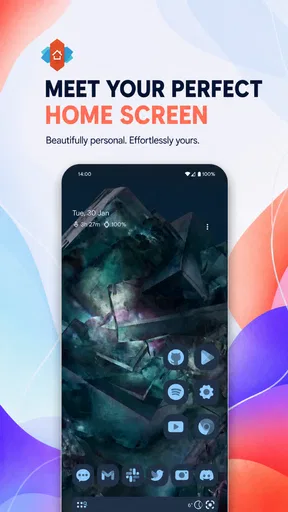
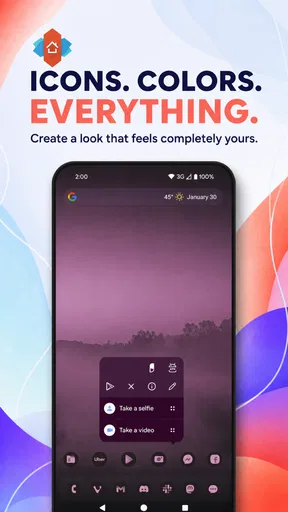
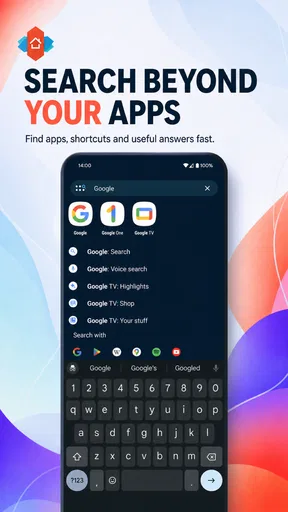
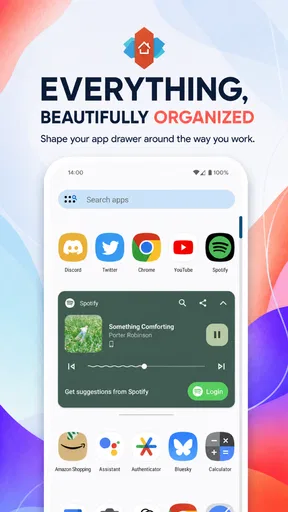
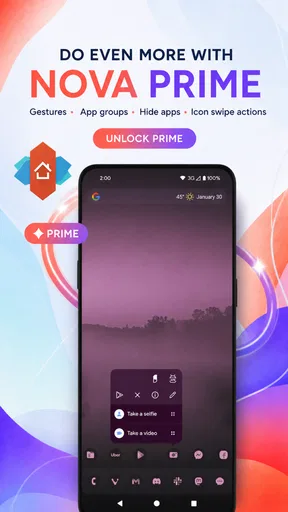
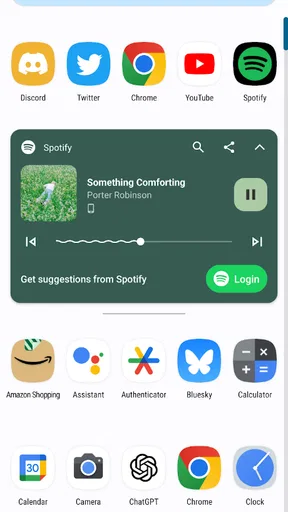
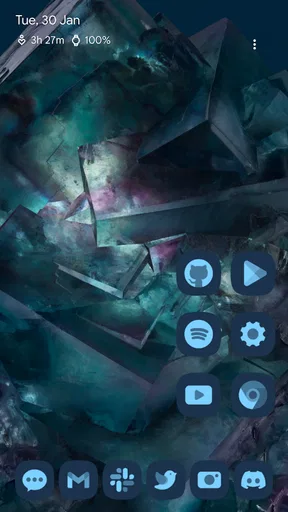
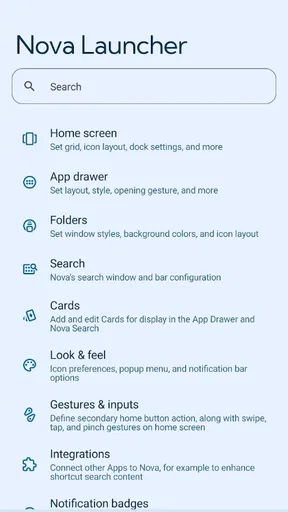
Our Review of Nova Launcher: Home Screen
 Analysis by Appyee
Ah, Nova Launcher. If you’ve ever been in the market for a way to transform your Android home screen into something more personal, you’ve probably heard about it. Let’s dive into what makes this app a must-have for customization enthusiasts and those looking to breathe new life into their devices.
First Impressions
The first thing that caught my eye about Nova Launcher—besides its sleek design—was how intuitive it felt right from the get-go. Installing and setting it up was a breeze. I didn’t have to wade through an endless sea of options to get started, yet the potential for customization seemed virtually limitless.
Readability and Navigation
A home screen is something I glance at repeatedly throughout the day, so I care about more than whether it looks polished. I want to recognize important apps quickly and avoid hunting through several pages. Nova’s adjustable grid, app drawer presentation, icons, and widgets let me build a layout around those habits rather than accept the manufacturer’s arrangement. That flexibility can make a phone feel less cluttered, but it also means the clearest result comes from making deliberate choices.
For example, I’d keep the apps I use most often in familiar positions and reserve a separate screen for less frequent tools. A restrained icon pack and a small number of useful widgets can make that arrangement easier to scan than a home screen filled with visual decoration. Changing the grid is useful when labels or icons feel crowded, but increasing density just to fit more items can make everything harder to pick out. I’d treat the grid as a readability setting as much as a design choice.
Nova is an Android launcher, not a complete redesign of every screen on the phone. It changes the home-screen experience and its navigation, while other parts of Android continue to behave according to the device and operating system. That distinction matters if you expect a launcher to fix every inconsistency in a phone’s interface. For people who mainly want their apps organized in a more personal way, though, the home screen is a practical place to start.
Customization Galore
If you’re someone who gets a kick out of making your phone truly yours, Nova is like a kid in a candy store. The app offers a plethora of themes, icon packs, and widget options. I found myself spending more time than I’d like to admit just tinkering with the settings. And why not? When you can change everything from the app drawer style to the behavior of your home button, it’s hard to stop.
One feature I absolutely loved was the ability to create custom gestures. Imagine swiping right to open your favorite app or pinching the screen to open your app drawer. These gestures not only make navigation easier but also add a layer of fun to using your device.
Motor and Sensory Considerations
Gestures can reduce the need to reach for a particular icon, and I can see that helping someone who prefers a shorter, repeatable action. But they are not automatically easier for everyone. A gesture needs a consistent movement and a reliable starting point; if I forget which swipe does what, the shortcut becomes another thing to remember. I’d begin with one gesture tied to an action I use often, then add others only after the first feels natural.
There is a useful trade-off between an expressive screen and a calm one. Bright, detailed wallpapers and many animated elements may look lively, but a simpler background and consistent icons can make app names stand out more clearly. Nova gives room to make those choices, yet it cannot decide which visual arrangement suits a particular person. I’d make one change at a time and use the phone normally for a day before adding more, rather than build a complicated layout that looks good only while editing it.
For someone who prefers large, easy-to-find targets, fewer icons per screen may be more comfortable than a tightly packed grid. Someone who relies on muscle memory may prefer a stable dock and unchanged positions over frequent theme experiments. These are not shortcomings unique to this launcher; they are reasons to think about how a customized layout will work in daily use, not just how it appears in a screenshot.
Performance and Usability
Now, we all know that some launchers can bog down your device, but not Nova. This app is light and efficient, which means it won’t turn your phone into a sluggish piece of tech. Everything felt snappy and responsive, even with a bunch of widgets and fancy animations running.
What’s even cooler is that Nova Launcher supports backups. If you ever switch phones or reset your current one, you can easily restore your old settings. Trust me; this feature is a lifesaver.
Situational Access and Everyday Use
Backups are especially useful when a layout takes time to get right. I’d save a version once the essentials are in place, before experimenting with icon packs, grid changes, or widget placement. That gives me a way back if a redesign makes the phone less convenient. It also turns customization into a reversible process instead of a risky all-or-nothing project.
Picture a busy morning: I want to open a calendar, check messages, and start navigation without searching through a crowded app drawer. A home screen with those everyday tools in predictable places can shave friction from that routine. Later, at home, I might use gestures or a different screen arrangement for less urgent apps. The benefit here is not that Nova performs those activities for me; it is that I can arrange the entry points around how I actually use my phone.
Nova is a strong fit for people who enjoy shaping their Android home screen, want more control than their device’s default launcher offers, or need a layout that reflects a particular routine. It is less compelling if you are already happy with your phone’s built-in home screen, want an interface that never needs setup, or would rather avoid changing familiar navigation. In those cases, staying with the default launcher may be the more comfortable choice.
Advanced Features for the Geeks
Alright, let’s talk about some of the advanced features that really set Nova apart. The app supports custom icon themes, allowing you to download and apply themes from the Play Store. You can even mix and match icons from different packs if you’re feeling adventurous.
Then there’s widget overlap and snap, which are perfect for those who love to create intricate designs on their home screen. You can even change the grid size to fit more (or fewer) apps and widgets, making your layout as dense or as sparse as you like.
How It Compares and Where It Has Limits
Compared with the default launcher, Nova’s appeal is the control it gives me over arrangement and appearance. The built-in option is often the simplest choice when I want to keep the phone’s familiar behavior and avoid learning extra settings. Nova makes more sense when those limits are frustrating or when I want to carry a carefully arranged home screen across a reset using a backup. It is not automatically better for every Android user; the extra control is valuable only if I plan to use it.
Other personalization approaches can focus on applying a ready-made look, whereas Nova invites more hands-on adjustment of the launcher itself. That can be rewarding if I enjoy testing icon packs and tuning the grid, but it also creates more decisions than a fixed, preset interface. A practical tip is to change one category at a time—first layout, then icons, then gestures—so I can tell which change improved navigation and which merely added decoration.
There are a few expectations I’d keep in check. A launcher cannot make every app behave alike, and a custom home screen does not guarantee that text or controls throughout the entire phone will suit every visual, motor, or sensory need. Some layouts also take time to maintain: adding a new app, changing a widget, or trying another icon style can disturb a setup that depends on precise spacing. If a person needs a highly consistent interface with minimal adjustment, the phone’s default launcher may be the less demanding option.
Is It Worth the Pro Version?
While the free version of Nova Launcher is pretty robust, the Nova Launcher Prime version unlocks even more goodies. We’re talking about extra gestures, unread counts, and the ability to hide apps. Is it worth it? In my humble opinion, if you’re serious about customization, then absolutely.
The Prime version is a one-time purchase, and considering the level of personalization it offers, it’s a small price to pay for something that’ll likely enhance your Android experience significantly.
Practical Fit and Getting Started
It helps to know what kind of product this is before installing it: Nova is a free Android personalization app from Instabridge Sweden AB. It has a 2.7 average from around 1.4 million ratings, alongside roughly 78,000 written reviews, so the overall reception is mixed despite its broad reach of over 100 million installs. That combination tells me not to assume every device or user will have the same experience. I’d try the free version first and decide based on whether its setup and daily navigation genuinely improve my routine.
The app is rated for Everyone, and its current version is 81036 (8.4.4), with Android 8.0 as the minimum requirement. It is free to install, with in-app purchases ranging from $0.99 to $4.99 per item. Those details are worth checking against your own phone and preferences before changing your setup. If you are switching from another launcher, I’d make a backup of the layout you already like where possible, then give Nova a simple trial arrangement before investing time in a more elaborate design.
One question people often have is whether they need to pay to get value from it. I’d start with the free experience: it already offers plenty of room to reorganize the home screen, and the paid option is most relevant if its additional features match a specific habit. Another practical question is whether a complex design is necessary. In my view, no—the best setup may simply be a familiar dock, sensible spacing, and a few frequently used apps placed where they are easy to reach.
Conclusion
So, should you install Nova Launcher? If you’re looking to break away from the constraints of your default home screen and delve into a world of rich customization, then yes, a thousand times yes. It’s like giving your phone a fresh coat of paint, a new lease on life.
Whether you’re a customization novice or a seasoned pro, Nova Launcher has something for everyone. It’s user-friendly enough for beginners but offers enough depth to satisfy the most hardcore of Android modders. Give it a shot, and let your phone’s personality shine through!
My Inclusive Verdict
My recommendation is enthusiastic but conditional. Nova is most useful when I want to arrange Android’s home screen around my own habits, and when I’m willing to spend a little time making the result comfortable rather than merely decorative. Its adjustable layout, icon choices, gestures, and backup option can support different preferences and contexts, but none of that guarantees an accessible experience for every person or every device.
If you enjoy experimenting, begin with a simple, readable screen, keep important apps in predictable places, and save a backup before major changes. If you need an interface that stays fixed, prefer the default launcher, or find customization settings tiring to manage, there is no need to switch. For everyone else, I think Nova is worth trying as a way to make the part of Android you see most often feel more considered and more personally useful.
Verdict
Strengths of Nova Launcher: Home Screen
- Highly customizable interface options.
- Smooth and fast performance.
- Backup and restore settings easily.
- Supports icon pack customization.
- Frequent updates with new features.
Limitations of Nova Launcher: Home Screen
- Some features require paid version.
- Initial setup can be time-consuming.
- Limited gesture controls in free version.
- Occasional minor bugs reported.
- May slow down older devices.
Other Releases by Instabridge Sweden AB
View All
Instabridge: WiFi Hotspot Map
Travel & Local4.2

Nova Launcher Prime
Personalization4.1
Similar Picks in This Category
View All
Microsoft SwiftKey AI Keyboard
SwiftKey4.3

Wallpapers
Google LLC4.1

Zedge™ Wallpapers & Ringtones
Zedge4.7

Yandex Browser with Alice AI
Direct Cursus Computer Systems Trading LLC4.3

Ringtone Maker:create ringtone
Big Bang Inc.4.7

Fonts Keyboard
Fonts Keyboard3.9
You May Also Like
View All

Frequently Asked Questions
What is Nova Launcher and what features does it offer?
Nova Launcher is a highly customizable home screen replacement for Android devices. It offers features like custom grid sizes, icon themes, scrollable docks, infinite scrolling, and a night mode. Users can also enjoy gesture controls, backup and restore options, and a wide variety of customization settings to personalize their device's interface.
Is Nova Launcher free to use, or does it have a paid version?
Nova Launcher offers a free version with a robust set of features. However, for a more enhanced experience, users can upgrade to Nova Launcher Prime. The paid version includes additional features such as custom drawer groups, gesture controls, and the ability to hide apps, providing a more comprehensive customization toolkit.
Does Nova Launcher affect the performance or battery life of my device?
Nova Launcher is designed to be lightweight and efficient, minimizing impact on device performance and battery life. However, extensive use of widgets, animations, or certain settings may lead to increased resource usage. Overall, most users find that Nova Launcher runs smoothly without significant drain on their device's resources.
How user-friendly is Nova Launcher for beginners?
Nova Launcher offers an intuitive interface that is relatively easy for beginners to navigate. While it provides extensive customization options, the app includes helpful tips and a straightforward setup process. New users can start with basic tweaks and gradually explore more advanced settings as they become more comfortable.
Can I backup my Nova Launcher settings and restore them later?
Yes, Nova Launcher includes a convenient backup and restore feature. Users can save their current setup, including home screen layouts and settings, to an external storage or cloud service. This is particularly useful when switching devices or resetting a device, allowing users to quickly restore their preferred configuration.
